
Record the brood area with the frame grid
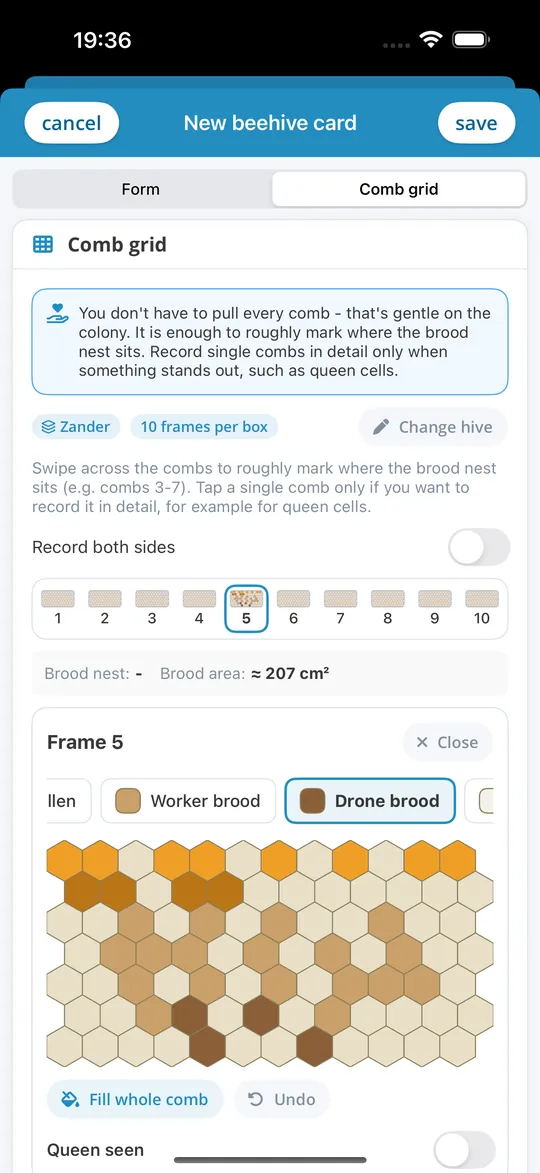
How big is the brood nest really? In the frame grid you record what you see comb by comb during the inspection, and iBeekeeper calculates the brood area.
Comb by comb
On each comb you mark worker brood, drone brood, honey, pollen and queen cells. You do not have to pull every comb: it is enough to roughly mark where the brood nest sits. For the brood area to be correct, you enter the frame size and the number of frames of the colony once.
What you get
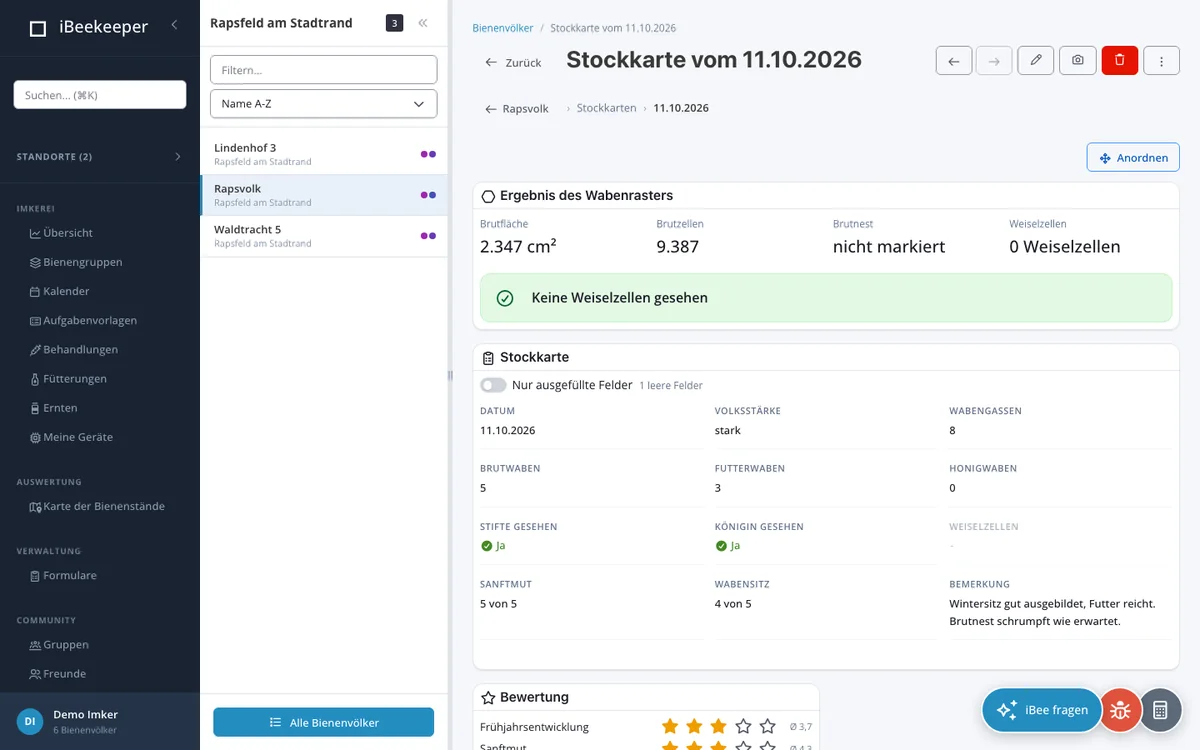
The hive card then shows the brood area in cm², the estimated number of brood cells, which combs the brood nest spans and how many queen cells you saw. From the queen cells, the web app derives a hint such as “Looks like swarming mood” or “Quiet supersedure”. In the colony overview, an arrow shows how the brood area has changed since the previous inspection with the frame grid.
In the app and the web app
The frame grid is available in the web app and in the apps for iPhone, iPad and Android. If you like, you can record both sides of each comb.